SASYRO Pulse
Event System
Offline Viewer • Secure share links • CSA packages

Build event packages once. Share safely. Run offline.

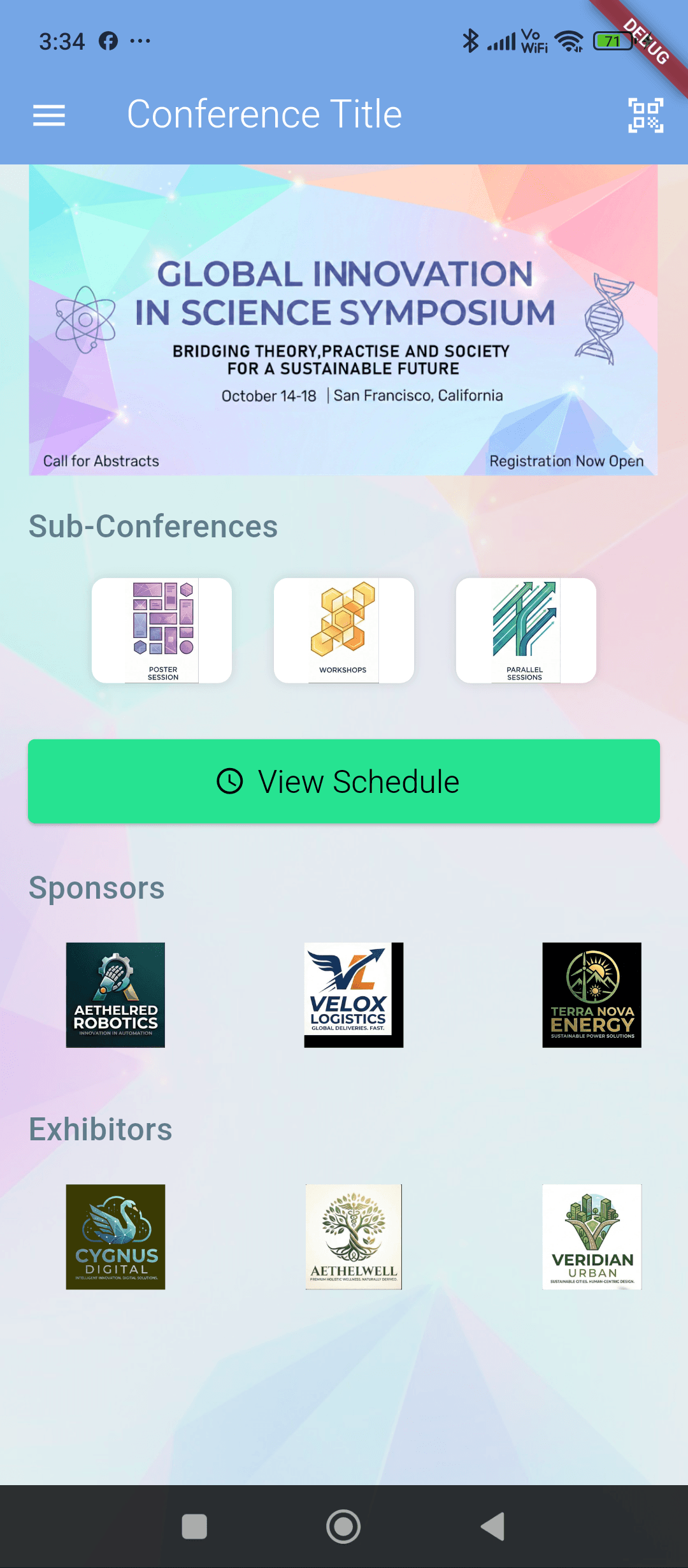
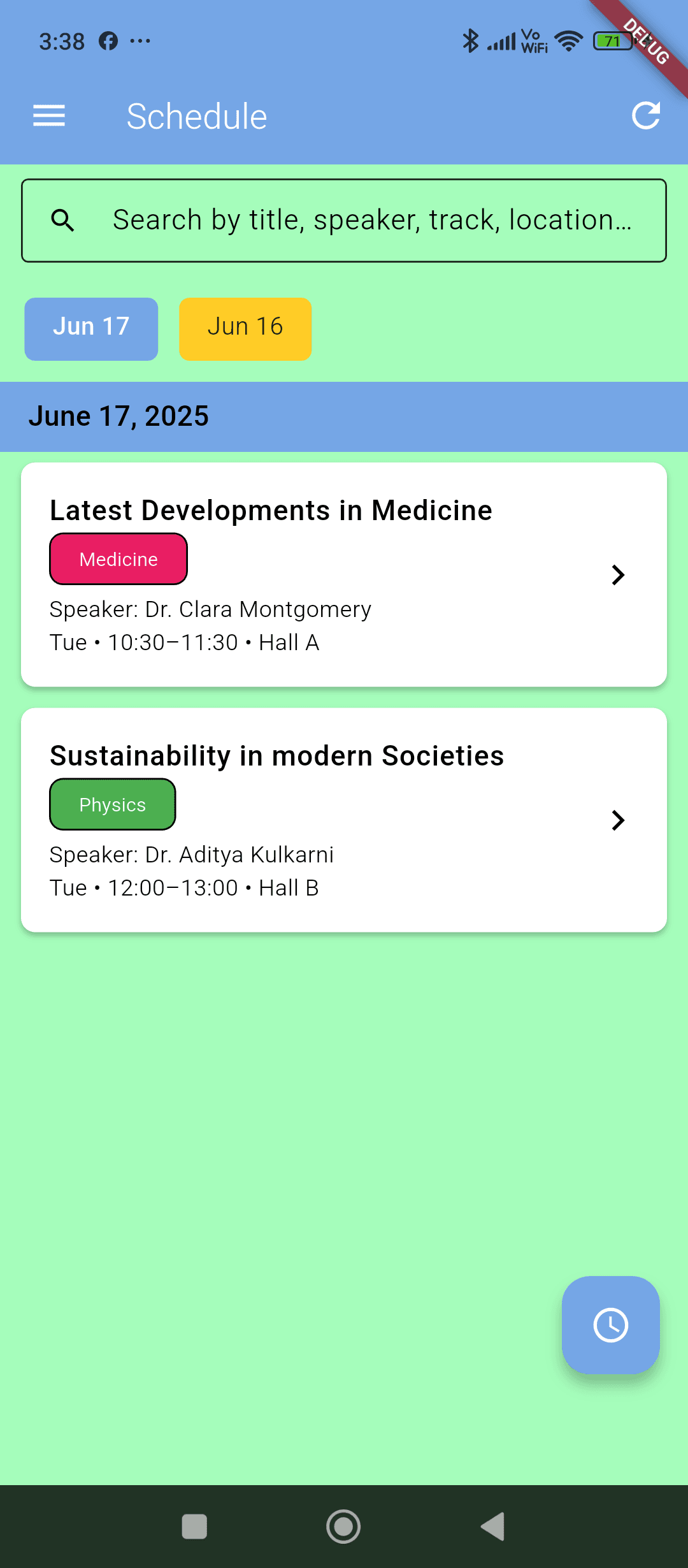
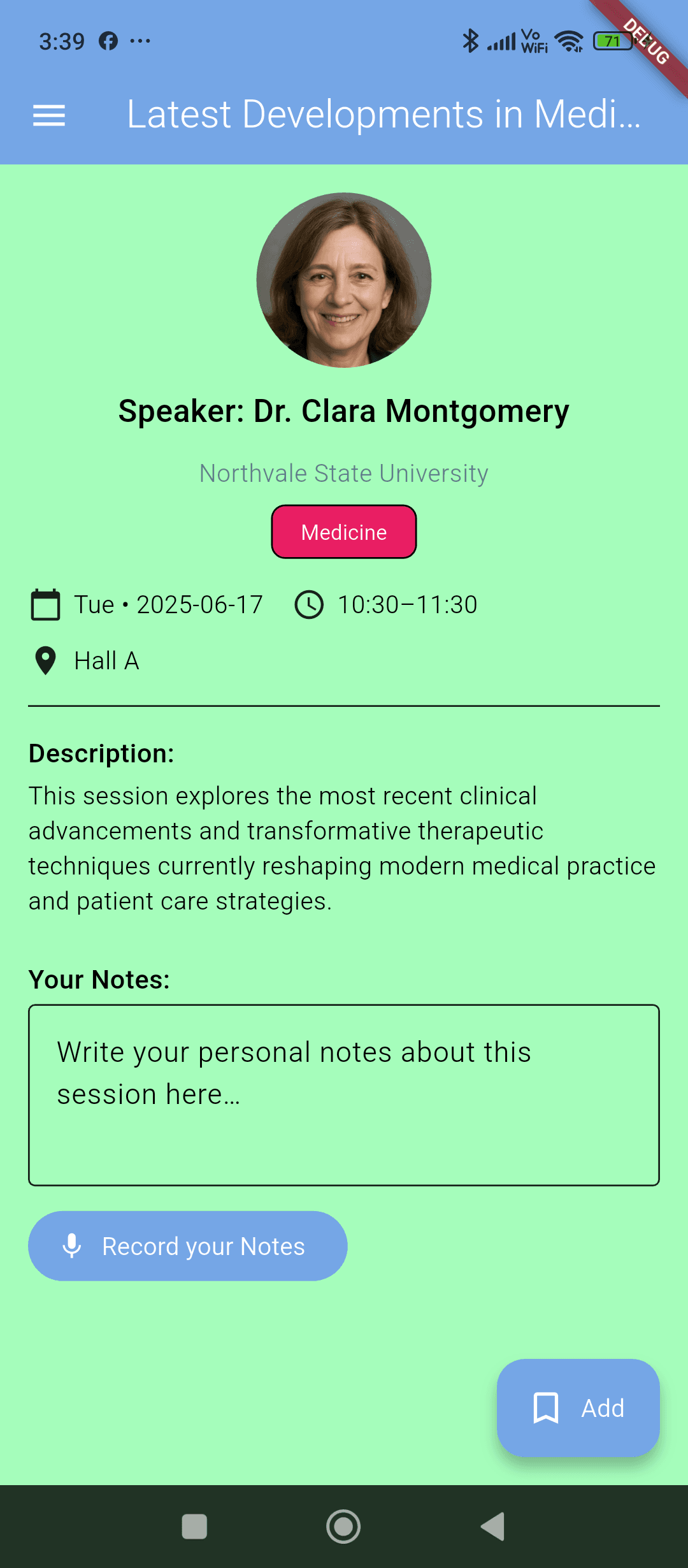
SASYRO Pulse helps you build a secure .CSA event package (schedule, speakers, images, maps, info) and publish it with controlled access. Attendees install the mobile Viewer, download once, and then browse the event fully offline — even with zero internet at the venue.

✅ Spreadsheet-style schedule
✅ One link for attendees
✅ Works offline after import
Admin Builder
CSA Export
Viewer App
Event
NANOTECH 2025
Type
Conference
Assets
Speakers • Sponsors • Maps
Output
event_package.csa
Publishing
package manifest • integrity checks • share link
Share link
https://sasyro…/e/9f3a…token
1
Build
1
Share
Offline reads

Everything you need for secure event delivery

A clean builder experience for admins — and a smooth offline experience for attendees.

Schedule, made simple
Import a CSV/XLSX, edit like a spreadsheet, and keep everything clean for the Viewer.
Speakers & assets
Add speakers, sponsors, images and maps — Pulse keeps the package consistent for mobile.
One link for attendees
Publish a share link. Control how many devices can activate and how long it stays valid.
Offline Viewer app
Attendees download once, then browse schedule, maps and info completely offline.
Event types & labels
Conference, trip, semester — the Viewer adapts the wording and layout to match your event.
Integrity built-in
Packages include tamper-detection metadata so you can trust what attendees downloaded.

Use cases

Pulse is built for situations where you need a smooth attendee experience — even with weak internet.

Conferences & summits
  • Share schedules, speakers, rooms and sponsor pages
  • Last-minute program changes via updated package
  • Works inside venues with poor connectivity
School trips & excursions
  • Offline maps, meeting points, emergency info
  • Day-by-day itinerary for students and teachers
  • One link shared in the group chat
Guided tours & museums
  • Route + stops + images + descriptions
  • Visitors browse quietly without needing data
  • Perfect for historic areas with spotty signal
Semesters & training programs
  • Weekly schedule, materials, locations and contacts
  • Different event types and label system
  • Simple updates when plans change
Also great for
FestivalsWorkshopsCorporate eventsStudent orientationField operations briefings

How it works

Pulse has two parts: the web Admin builds a package, and the mobile Viewer downloads it once and keeps it offline.

1
Build in the Admin web app
You create the event: upload the schedule, add speakers, maps, images and info. Think of it like building a ‘mini event app’ without coding.
2
Publish a single share link
Pulse exports the event into a .CSA package and generates one link you can send by QR, email, or WhatsApp. You can set expiry and viewer limits.
3
Attendees download in the Viewer
The Viewer app opens the link, activates the device (if enabled), downloads the package once, and stores it on the phone.
4
Everything works offline
After import, attendees can browse the schedule, maps, and details with no internet — perfect for venues with weak or expensive connectivity.
5
Update by publishing a new package
If the schedule changes, you publish an updated package and share the new link. Attendees can import the updated version in seconds.
In one sentence
Web Admin builds → Pulse creates a .CSA packageshare linkmobile Viewer downloads once → works offline.

Security, without complexity

Share links can be limited by device activation, and packages include integrity metadata to detect tampering.

  • Limit how many devices can activate
  • Set expiry dates for share links
  • Integrity checks so packages can’t be silently altered
Device activation
Link expiry
Integrity metadata